
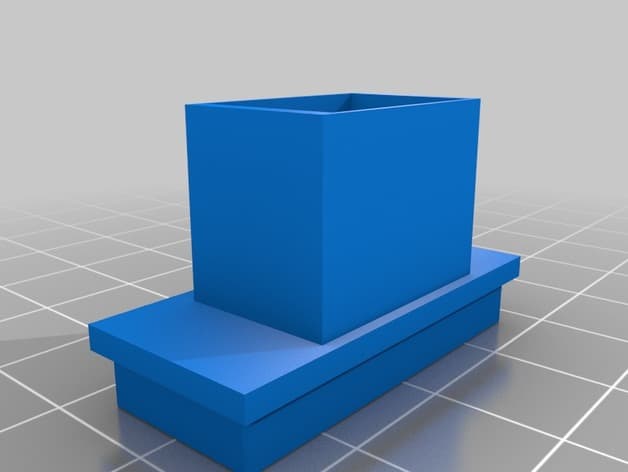
Files (4)
Reference shelf
Recommended filament for this print
Product references matched to the published material guidance. Confirm diameter, heat resistance, colour, and printer compatibility.
| Referenced item | What to verify | Price & availability |
|---|---|---|
| PETG filamentAmazon · Affiliate link | Amazon product page for 1.75 mm PETG; confirm colour, spool size, print temperature, seller, and delivery region. | Check price at Amazon |
| ASA filamentAmazon · Affiliate link | Amazon product page for 1.75 mm ASA; use an enclosure and suitable ventilation, and confirm seller and regional availability. | Check price at Amazon |
Affiliate disclosure: if you buy through an eligible link, 3DPrintedCarPart may earn a commission at no extra cost to you. As an Amazon Associate I earn from qualifying purchases. Confirm product specifications, compatibility, seller terms, and vehicle safety before ordering or using anything. Amazon may redirect you to a nearby supported store; otherwise the original Amazon.com page remains available.
Citroën Xsara II - USB Holder + Dummy button + Window regulator dummy button
License & use
The file license permits commercial reuse, subject to any applicable attribution or share-alike terms. License status does not verify vehicle fitment, OEM rights, design patents, or safety.
Shared by
Stephane Calonnec (Percevalio)Description
This is a button-shaped USB cable holder, designed to fit my Alpine CDA-117RI USB cable, made to go to the horizontal lower panel buttons (see pictures). Might be compatible with other USB devices. For Xsara cars without the 3 buttons (only the middle one) you'll have to buy a 3 button panel and print the button cache to hide the missing button (or buy a dummy one). On the 3 button version, you'll have to remove the original dummy button. Contents: * 1 USB button: print this once. Please note this is the part you'll see, so you might want to print this in higher quality. * 1 USB holder: print this twice (once is enough, but it is not designed this way). This part goes behind the panel, and will fit into the standard squared holder. NO GLUE NEEDED! * 1 filled button: print this if you need to hide an empty button. You'll have to glue this. * 1 filled window control button: print this twice if you need to hide unused window regulator buttons (for Coupés models with 2 windows, if you have to change the panel by the 4 windows version to get the 3 horizontal buttons, like mine - see pictures). You'll have to glue this. Installation instructions for USB button - no glue needed. Make sure all parts fit well before assembling:) 1.Remove the panel, remove the dummy button (if needed), and pass the USB cable through the car's inner squared button holder. 2.Put the USB connector into the USB button. 3.Put one side of the USB holder into the car's inner squared button holder. 4.On the USB cable, put the other side of the USB holder, and push everything into the car's inner squared button holder. 5. Put back the panel, make sure to align the button with the panel. 6. Test if there's no move, and if everything is strong enough when you push and pull your USB device. I printed the whole parts in PLA, but ABS is advised because of car's heat, and USB cable/device heat.
Compatible Vehicles
Originally published on thingiverse.com by Stephane Calonnec (Percevalio) · License: CC BY
Browse categories
Browse other part families
Jump to interior, exterior, accessories, dashboard, mechanical, or tools hubs when you need a different kind of replacement part.
Share whether this print actually fits a real car. Installed photos and material notes make the catalog more trustworthy.
Ask the community about this part
Start a fitment, printing, or design discussion with this part already attached.
Related Parts
Finding specific fitment/category matches first.

