
Files (2)
Choose the needed variant and slice it; source file size is not printable volume.
Use the slicer's filament total; STL/3MF byte size is not a cost input.
Slice with the recommended material, infill, orientation, and supports.
| STL file | Role | Source size | PETG 20% | PETG 25% | 100% solid | Recommendation |
|---|---|---|---|---|---|---|
| Smaller_Hexagon.STL | Printable file | 204.0 KB STL | Slice file | Slice file | Slice file | Ensure proper orientation in slicer for optimal print quality and minimal supports |
| Speaker.STL | Printable file | 77.2 KB STL | Slice file | Slice file | Slice file | Ensure proper orientation in slicer for optimal print quality and minimal supports |
Saved setup guidance is used for material, infill, support, and per-file recommendation text; editable numbers are planning estimates only.
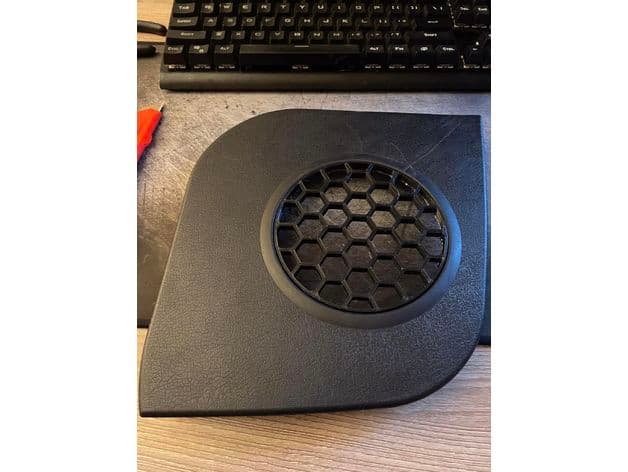
Miata Speaker Grill

Shared by
3DPrintedCarPartDescription
Steps to install part. 1. 3D print part and remove metal grill cover from panel. 2. Cut the inner ring where the metal grill slipped into. 3. Trim excess plastic. 4. Press and glue 3D printed grill into the plastic trim. - Note: I found that I could hot glue the grill in place from the back of the panel while pushing down on the grill to seat properly.
Compatible Cars
Originally published on thingiverse.com by Collin Friedrich (GoobersWorld) · License: CC BY
Share whether this print actually fits a real car. Installed photos and material notes make the catalog more trustworthy.
Related Parts
Finding specific fitment/category matches first.

